
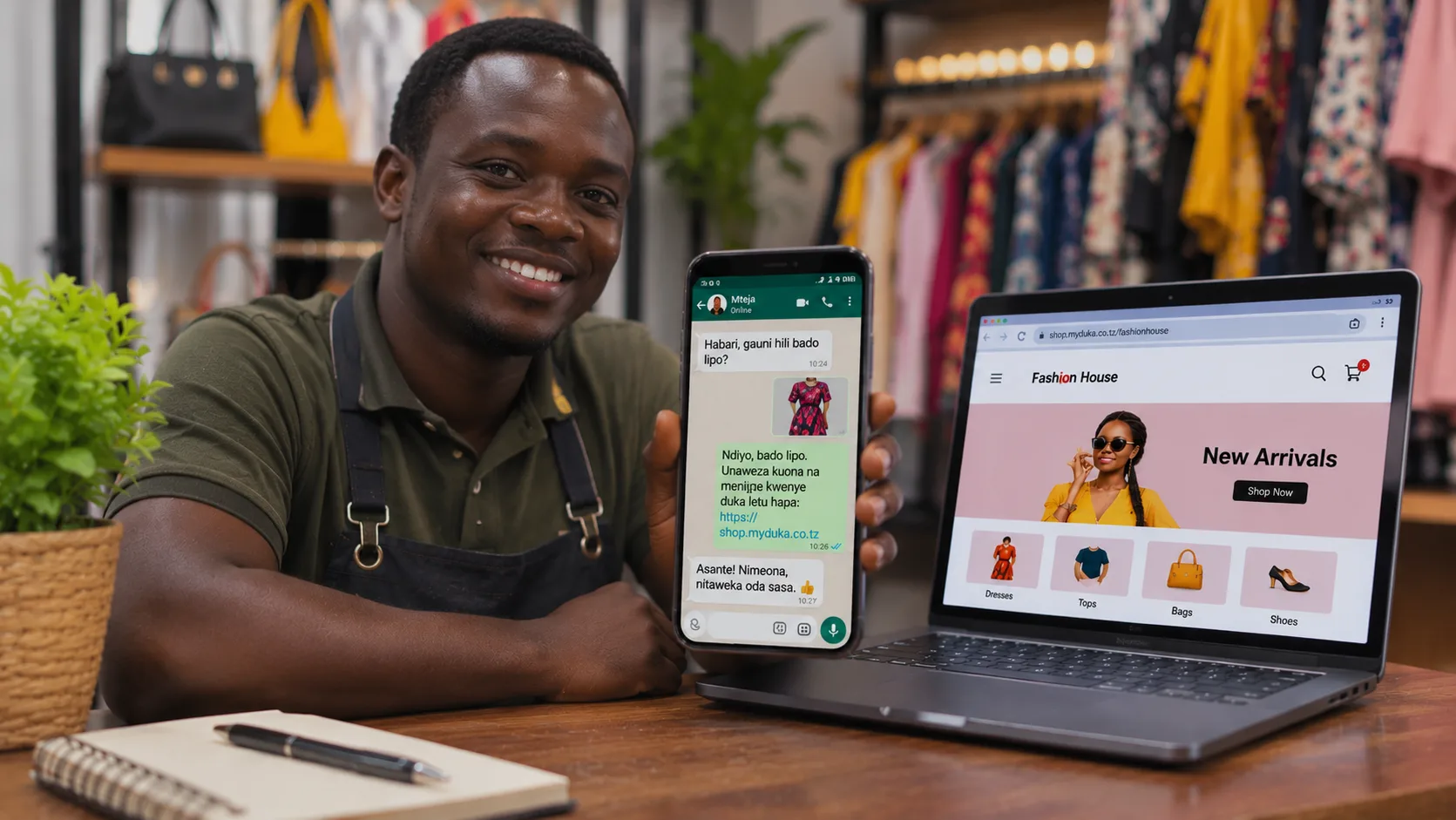
WhatsApp has become one of the easiest ways for businesses in Tanzania to connect with customers. From clothing boutiques and cosmetics shops to food businesses and electronics stores, many entrepreneurs use WhatsApp to showcase products, answer questions and receive orders.
It is convenient, familiar and allows businesses to communicate directly with customers.
But there is a problem.
As your business grows, managing every order through WhatsApp conversations can become difficult. Customer enquiries get mixed up, messages are missed, prices have to be repeated and it becomes harder to keep track of who ordered what.
So, how can you continue using WhatsApp to attract customers without making your chats the only place where your business operates?
The answer is to combine WhatsApp marketing with your own online shop.
1. Why WhatsApp is important for your business
WhatsApp is particularly useful for small businesses because it makes communication simple.
You can use it to:
-
Share pictures and videos of your products.
-
Announce new arrivals and special offers.
-
Answer customer questions.
-
Send product information and prices.
-
Communicate with existing customers.
-
Share your shop link with potential buyers.
Many businesses already use WhatsApp Status, groups and direct messages to promote their products.
You do not have to stop doing this. Instead, you can improve how customers move from seeing your products to placing an order.
2. The problem with managing every order through chat
Imagine you sell clothes and receive 30 customer enquiries in one day.
One customer asks about the price of a dress. Another wants a different size. Someone else sends a screenshot of a product they saw on your Status. Meanwhile, three other customers are asking whether their orders have been received.
It quickly becomes difficult to manage everything.
Some common challenges include:
Missed messages: Important customer enquiries can get buried under other conversations.
Repeated questions: You may spend a lot of time answering the same questions about prices, sizes, colours and availability.
Unclear orders: Customers may send product names, screenshots or voice notes, making it difficult to organise their requests.
Difficult product management: When you have many products, sharing and updating individual product information through chats takes time.
Order tracking: You may struggle to remember which orders are new, which have been processed and which have already been delivered.
WhatsApp is excellent for communication, but conversations alone are not always the best way to manage a growing online business.
3. Give customers a proper place to browse your products
Instead of sending individual product pictures and prices every time someone asks what you sell, create an online shop where customers can browse your products themselves.
Your online shop can display:
-
Product photographs.
-
Product names and descriptions.
-
Prices.
-
Available options and variations, where supported.
-
Product categories.
-
Information customers need before ordering.
You can then share your shop link through WhatsApp.
For example, instead of sending ten pictures of clothes individually, you can send one message:
"Habari! Unaweza kuona bidhaa zetu zote na bei kupitia duka letu hapa: [your shop link]."
The customer can browse the products and place an order through your online shop.
This makes the shopping experience more organised and gives customers a convenient way to discover what you sell.
4. Use WhatsApp to attract customers and your online shop to receive orders
You do not need to choose between WhatsApp and an online shop. They can work together.
Here is a simple approach:
Step 1: Promote your products on WhatsApp
Post product pictures, videos, offers and new arrivals on WhatsApp Status. Continue engaging with customers through direct messages.
Step 2: Share your online shop link
When someone is interested, direct them to your online shop so they can browse the available products and prices.
Step 3: Let customers place their orders
Customers can select products and submit their orders through your shop rather than relying entirely on back-and-forth messages.
Step 4: Manage incoming orders
Use your shop management dashboard to review and manage orders, check product information and follow up with customers.
Step 5: Follow up with customers
WhatsApp remains useful for answering questions, confirming details and communicating about deliveries.
The result is a more organised way of selling while keeping the personal communication customers appreciate.
5. How myDuka helps you sell through WhatsApp
myDuka helps Tanzanian businesses create and manage their own online shops without having to build an ecommerce website from scratch.
With myDuka, you can:
-
Create your own online shop.
-
Add products, pictures, descriptions and prices.
-
Organise products into categories.
-
Share your shop link through WhatsApp and other platforms.
-
Receive customer orders through your online shop.
-
Manage products and orders from your shop dashboard.
-
Give your business a dedicated online presence.
For example, a clothing shop can share its myDuka link on WhatsApp Status whenever new stock arrives. Customers can visit the shop, browse the available products and place orders.
A food business can do the same with its product catalogue.
Instead of relying entirely on conversations to explain what you sell, you give customers a place where they can explore your products at their convenience.
6. Make your online shop part of your marketing
Once your shop is ready, use its link consistently.
Here are some practical ideas:
WhatsApp Status: Share a product and include a link to your online shop.
Customer enquiries: When someone asks about your products, share the relevant shop link.
Business cards: Include your online shop address so customers can find you later.
Packaging: Print your shop address on product packaging or labels.
Social media: Add your shop link to your Instagram and Facebook profiles.
Promotions: Share links to your shop whenever you announce discounts, new arrivals or special offers.
The goal is simple: whenever customers discover your business, make it easy for them to visit your online shop.
7. You do not have to stop using WhatsApp
Having an online shop does not mean abandoning WhatsApp.
In fact, the two complement each other.
WhatsApp helps you build relationships, communicate with customers and promote your products. Your online shop gives customers a structured place to browse products and place orders.
You can continue having conversations with customers while reducing the need to handle every product enquiry and order manually.
Frequently asked questions
Can I continue receiving customers through WhatsApp?
Yes. You can continue using WhatsApp to promote products, answer enquiries and share your online shop link.
Do I need a website to sell online?
You need an online storefront where customers can browse your products and place orders. myDuka helps you create one without developing a website from scratch.
Can I share my myDuka shop on WhatsApp Status?
Yes. You can share your shop link and individual product links through WhatsApp and other supported platforms.
Can I manage orders from my phone?
You can access your myDuka shop management features through a compatible web browser, including on a smartphone.
Do I need technical skills?
No. myDuka is designed to help business owners create and manage online shops without needing programming skills.
Turn WhatsApp conversations into organised online sales
WhatsApp is a powerful tool for promoting your business, but you do not have to manage your entire business through chat messages.
Give customers a place to browse your products, make ordering easier and manage your sales through a dedicated online shop.
With myDuka, you can bring your products online and use WhatsApp to help customers discover them.
Ready to take your business online?
Create your free myDuka shop today and start sharing your products with customers.
Visit: www.myduka.co.tz